# Working With Arrays
Sometimes your source events contain arrays with valuable information inside. Using Aggregations.io, you can run real time calculations on this array data, without needing to transform your source payloads.
There are two options when working with nested array data:
- **Array Flattening**: Unnesting arrays of objects to group, filter and aggregate on the individual elements.
- **Array Calculations**: Using arrays in calculations, while maintaining the source structure for grouping/filtering.
---
## Array Flattening
A common technique to save on event count, requests and processing overhead is to do some client-side batching with occasional produces. This is not only a mechanism for events in general, but also for individual, potentially noisy events to be combined into a single "summary." Impression tracking is often implemented like this, because you wouldn't want an event for each individual element.
Let's say you've got an event structure like this:
```json
{
"event_name": "Impressions",
"ts": 1721491167001,
"user_id": "user123456",
"device": {
"type": "web"
},
"impressions": [
{
"item_id": "abc123",
"duration_ms": 4744,
"detail_clicks": 1
},
{
"item_id": "xyz456",
"duration_ms": 5500,
"detail_clicks": 10
},
{
"item_id": "zzz555",
"duration_ms": 1199,
"detail_clicks": 4
}
]
}
```
We want to have real-time data on impressions on a per-item basis.
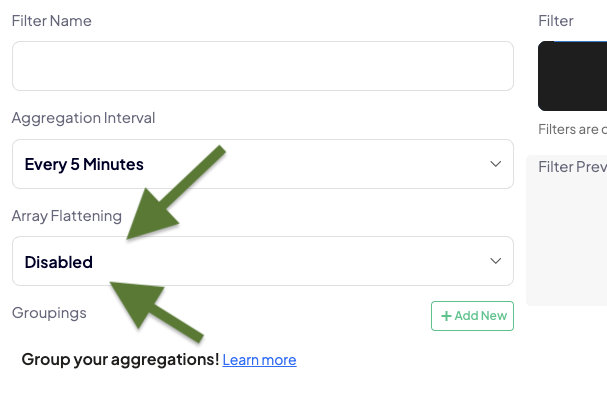
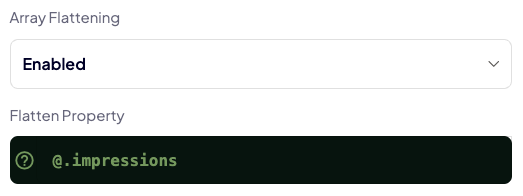
This is possible in Aggregations.io by enabling `Array Flattening` and specifying (using JPath) the property in the `Flatten Property` input.
||| Enable
||| Set Property
|||
:::spacer-2
:::
Now, all your JPath will be referencing properties within the array, instead of the root object.
!!! Referencing Root Objects
If you want to reference the root object, your JPath should begin **`$`** instead of `@`.
!!!
### Example
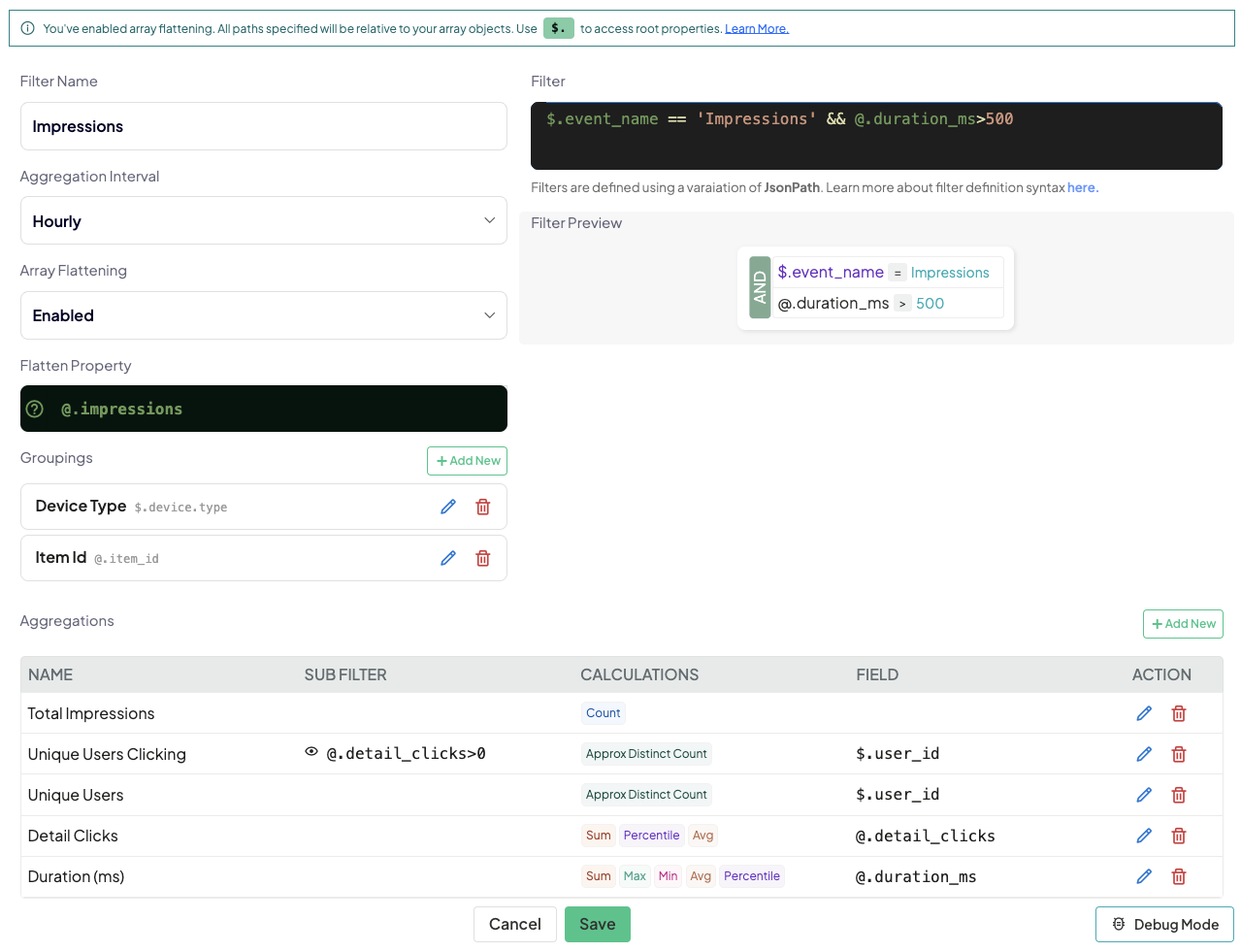
So for example, a setup for an impression tracking metric, grouped by item and device type could look like this:
:::spacer-2
:::
#### Filter
Setting our filter to `$.event_name == 'Impressions' && @.duration_ms>500` ensures we are getting the "Impressions" event (based on the `event_name` property at the root) and only considering objects in the array where `duration_ms` is greater than 500.
#### Groupings
We're grouping by the item ID so we can track per-item with `@.item_id` which is on the objects inside the array while also pulling the user's `$.device.type` from the root. This is a common pattern for contextual information that doesn't vary based on the array items, so you can save space and not repeat yourself.
#### Aggregations
We've created aggregations that mix root & nested properties to count vital metrics like unique users, duration and clicks.
### Debugging
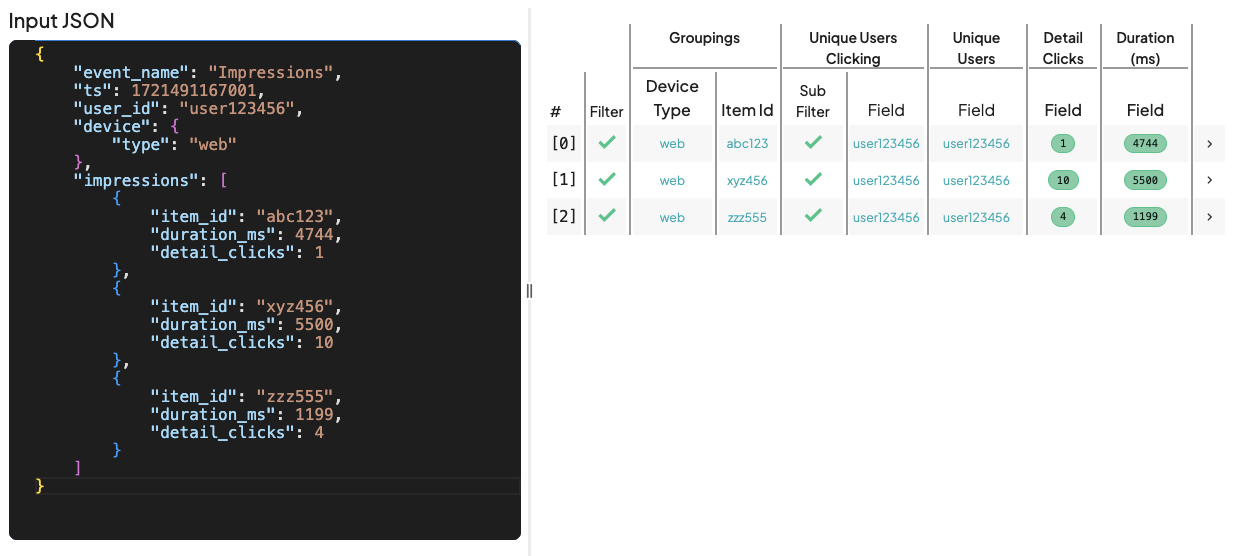
We can test our event above in [Debug Mode](/metrics/filters/debug-mode) to validate everything works as expected.
:::spacer-2
:::
---
## Array Calculations
Array calculations let you perform aggregations on nested elements, without fully flattening the array.
Continuing our Impression Tracking example from above, if we wanted to count the number of unique impressions, without unnesting/flattening, we can do that using an array field as our Aggregation field.
Array fields will usually take the form of `@.path.array_property[*].inner_property`
So if we wanted to aggregate on our Impressions array, we could utilize the following:
Purpose | Path | Calculations
---|---|---
Tracking unique items with any impressions | `@.impressions[*].item_id` | Approx Distinct Count
Total impression duration across all users/evnets | `@.impressions[*].duration_ms` | Sum
Average/Percentile impression duration per measurement | `@.impressions[*].duration_ms` | Average & Percentiles
!!! Note
At this time, you cannot convert a non-array aggregation into an array-based one (or vice-versa).
!!!