# Amazon Kinesis
Ingesting data into Aggregations.io from Amazon Kinesis is easy.
---
## Prerequisites
To set up this integration you'll need to first:
1) Set up an ingest:
- using the JSON Object with Events in an Array Property schema.
- The `Events Property Path` should be @.records.
2) Create an API Key to use with this integration with `Write` permissions. We'd recommend creating a dedicated Org-Wide API Key.
3) Ensure you have permissions to create `Kinesis Data Firehose` resources in your AWS account.
## Setting up Your Firehose
#### 1 - Create a new Delivery Stream
:::mw-floated-next
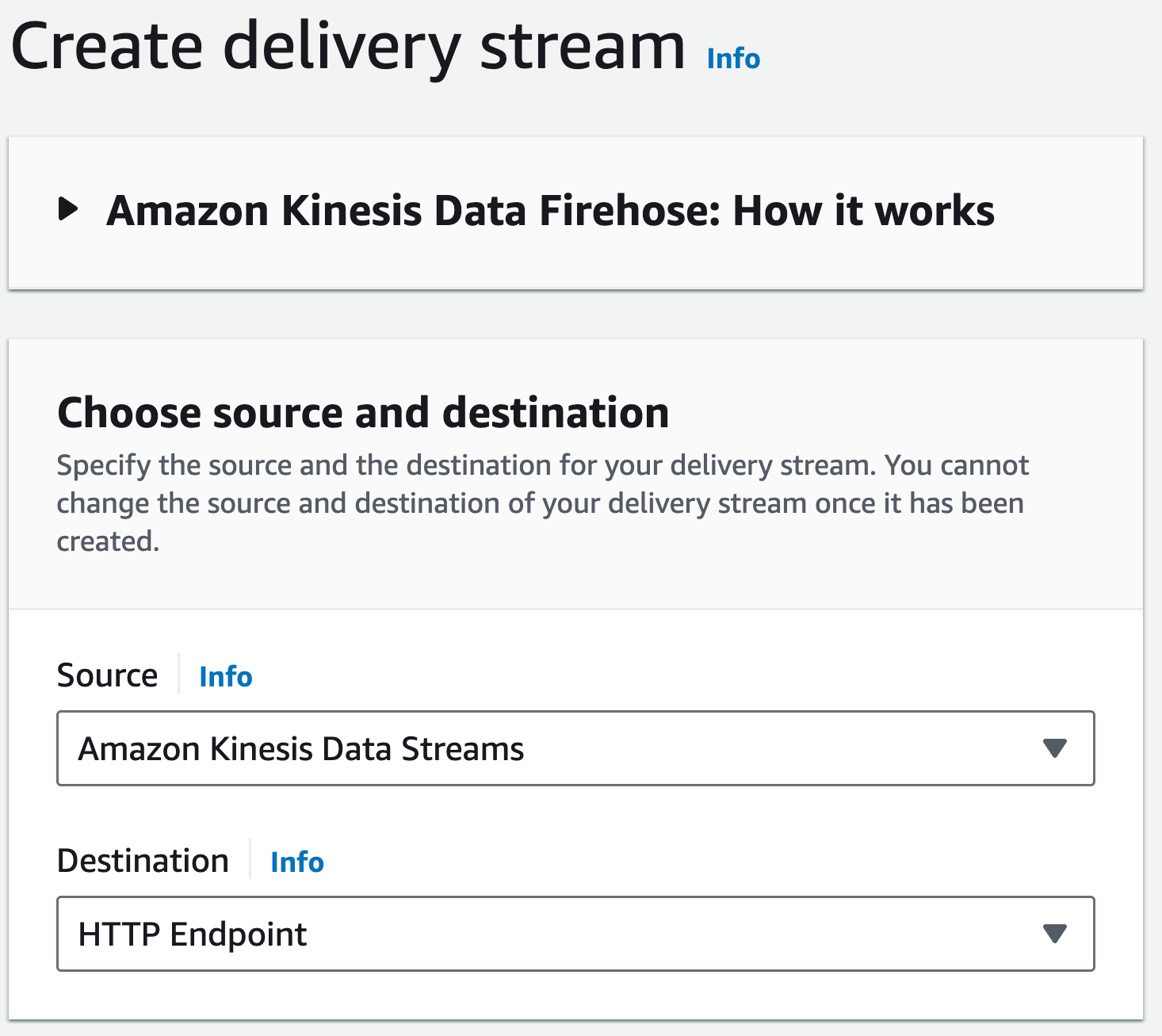
Navigate to your AWS Console and search for `Kinesis Data Firehose` in the region with your Kinesis stream.
You'll want to click `Create Delivery Stream` - it's usually a big yellow button.
**Source** should be Amazon Kinesis Data Streams
**Destination** should be HTTP Endpoint
:::
:::clear-both
:::
#### 2 - Firehose Settings
##### Source Settings
Choose your source data stream from the options.
##### Delivery stream name
Give your new delivery stream a name that is memorable and represents its purpose. "Aggregations.io Events" would work 😃
#### 3 - Destination Settings
:::mw-floated-next
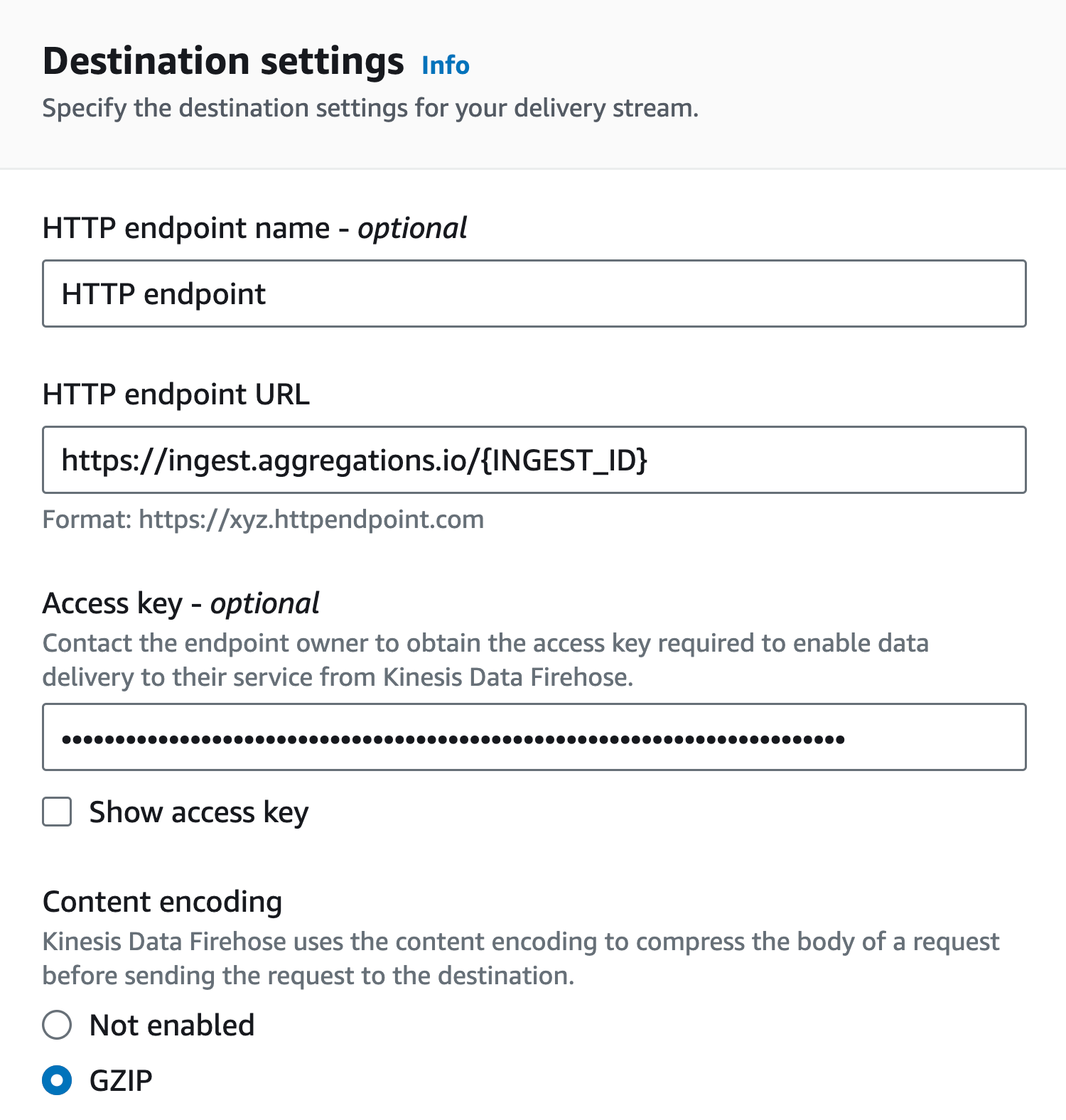
**HTTP endpoint URL** is the POST URL from your ingest.
**Access Key** is your Aggregations.io Api Key.
**Content Encoding** select `GZIP`.
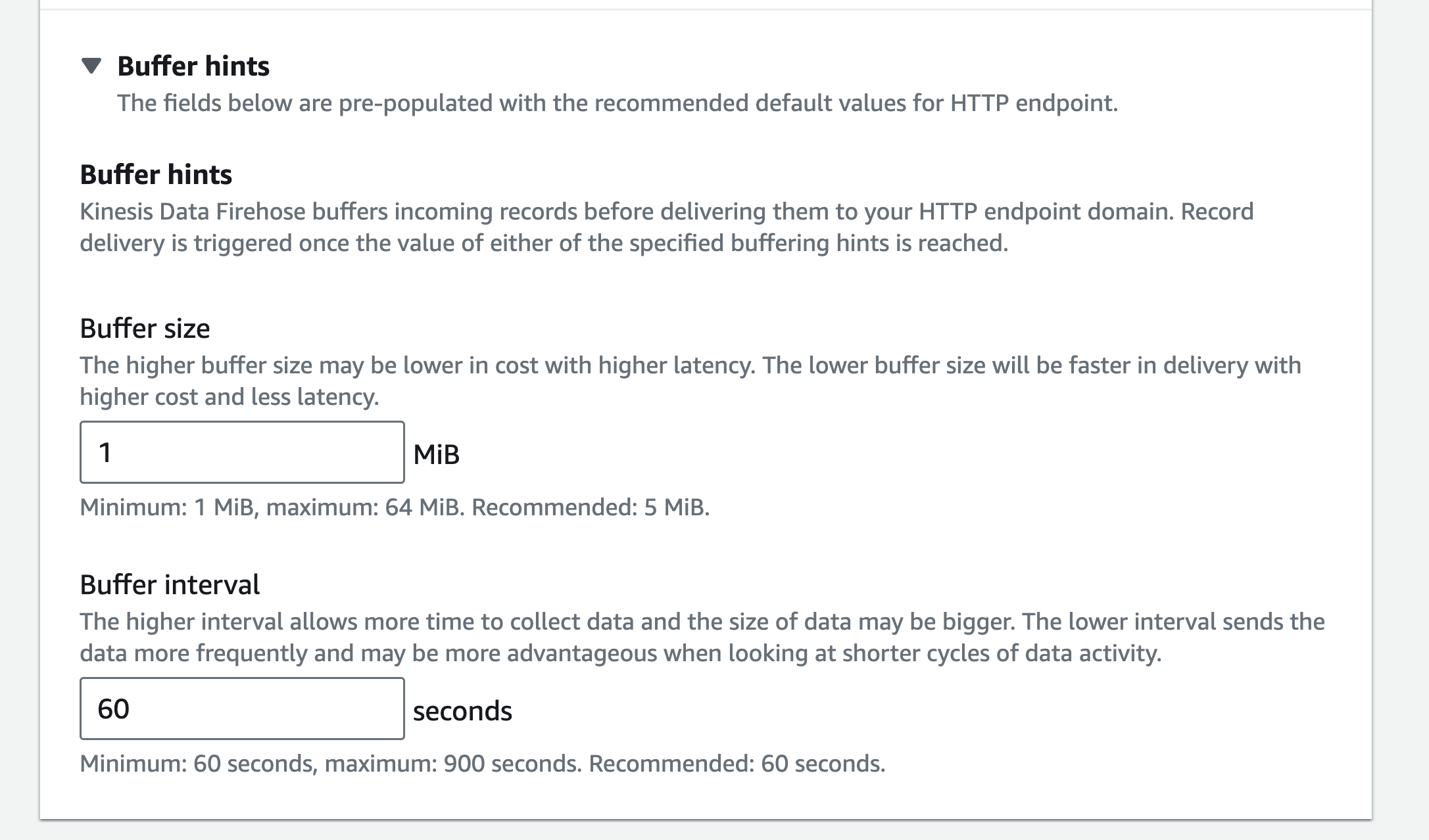
**Buffer Hints > Buffer Size** Set to 1 MiB.
:::
:::clear-both
:::
## Conclusion
You're now ready to ingest your Kinesis data into Aggregations.io. With this integration, you can start analyzing data from a myriad of AWS services and data sources in real time.
## Troubleshooting
#### Error Codes
See the [Ingest Docs](/ingest/posting-events#troubleshooting) for common errors ingesting events.